Posts

Book Review: Getting Started with Oracle VM VirtualBox
Image
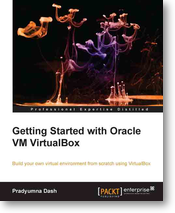
Getting Started with Oracle VM VirtualBox This book gives a general introduction to Oracle VM VirtualBox software, which is used in virtualization. Using this software you will be able to run operating systems which are different from the one installed in your hard disk. It can be installed on your Mac, Linux, or even Windows machines. It adds the capability to run multiple operating system as a virtual machine. For example once you have logged into your Linux/Ubuntu machine, you can start a Virtual machine for Windows. This book covers a great deal about how to start using with VirtualBox, which is an open source software licensed under GPL (GNU General Public License) version 2. Learn more about this software from its website . The book also covers various details like installation (which is anyway not a daunting task you might think, but there are people who might need this) in various operating systems. It then talks about how to create virtual machines, cloning, restoring...

Oracle Query to get table size across schemas

I googled for this and got this from some website. Do not remember the website from where I got this query. Thanks for the original author . Pasting the query for my personal records: SELECT owner,        table_name,        trunc(SUM(bytes) / 1024 / 1024) meg FROM   (SELECT segment_name table_name,                owner,                bytes         FROM   dba_segments         WHERE  segment_type = 'TABLE'         UNION ALL         SELECT i.table_name,                i.owner,                s.bytes         FROM   dba_indexes  i,                dba_segments s         WHERE  s.segment_name ...

jQuery tabs within Oracle APEX

This tip was posted in Oracle Apex Knowledge Group by Richard Martens. Its my sincere pleasure in thanking the author for this simple tip. The original blog is available here . I am posting the steps first, and a slight deviation which makes the setup one time only through this article. The idea is to create a region first and all sub-regions as tabs. If this design suits your application then its simple as copy-paste.Create a template Go to Shared Components  Navigate to Templates Press the Create Button Choose Region Choose From Scratch Provide the name jQuery Tabs Choose Custom 1 for template class Press Create button Once the template is created, find the jQuery tabs from the list and click to edit. Paste both the following codes in Definition Section: <div id="#REGION_STATIC_ID#" #REGION_ATTRIBUTES#> #BODY##SUB_REGION_HEADERS##SUB_REGIONS# <div style="clear:both;"></div> </div> <link rel="stylesheet" href=...

Oracle APEX - Remove Show All from region selector

Image
Oracle Application Express (APEX) offers a lot of regions to be displayed in a single page without cluttering the screen display. One such way of making a page to display lot of contents is using the Region Display Selector. In this tip however I am not going to show how to display the "Region Display Selector" but an inherent problem with this control. I have a screenshot of this control in action. I have Five regions in this sample page. For each region this "Display Selector creates a link in its control. As soon as you click a particular region, only that specific region will be displayed. The remaining will be hidden. The "drawback" is that there is no option to hide the first option "Show All". Initially when the page loads the "Show All" will be selected and all regions will be displayed. I think this should be a great feature which should be available in-built within Apex. But as of 4.2.3 version which I am using, this...

Are you Oracle database 12c ready?

Image
I had recently attended OTN Database 12c Developer Day, at Bangalore. I must say it was very informative and gave me new insights on the new database unveiled recently by Oracle Corporation. Rather than focussing more about the event, I will focus what was being the agenda or what what I learned from this event. I must admit I am getting old because this cloud business is too hard to understand. You will agree with me if you see advertisements of cloud-ready, but are not able to understand anything beneath it. This event gave me the initial thoughts. Before 12c, Oracle databases supported multi-tenancy through VPD or FGAC (whatever you prefer to call it). To use this feature, your tables needed to have extra columns to identify a tenant when he is logging in to the database. So with a single database, you could (a big COULD) support multiple clients. But it was used not for this purpose (maybe oracle knew this before). Application developers took this feature to implement ...

PDF Download not working in Interactive Report : Oracle APEX: SOLVED Finally

This was one of my biggest concerns while using Oracle APEX. I will often enable PDF download from Interactive Report setup in a page, but the download was generating only a corrupt file. My google searches also did not yield any result. Then came the news that I have to install BI Publisher in order to use the feature. This message was floating in OTN forums related to this topic. I got disheartened learning this. Why would Oracle provide such a tool if it can't support PDF download by default. Then came the SOLUTION for the problem. In one of documentation available in Oracle's website I found the news I have been searching for a long time. The APEX download (4.2.2) had been shipped with a war file fop.war. This file is available in the folder  apex_4.2.2\apex\utilities\fop The installation instructions mentioned that I need to deploy this war file in OC4J but which requires  Oracle Containers for J2EE (10.1.3.2 or above) [I don't have a clue what this is]. ...

Oracle Apex - Position IR Control Panel items in one line

Image
This mini tip is to help those who does not know CSS much and those who know CSS but do not know where to apply code in Oracle Apex. In Interactive reports by default the control panel items (filters/report titles) etc will be displayed one line below the other. If you have ten filters applied on an IR/Interactive Report then the panel when expanded occupies 10 lines in the report just like the one below: This mini tip will enable you to change this like the one below: If you have a Page 0/Global Page created within your application do not follow step 1. Step 1: Create a Global Page/Page 0 in your application. Step 2: Create a HTML region with template "No template" in this page. Step 3: Add the following CSS inside this region source and save. <style>   table#apexir_CONTROL_PANEL_COMPLETE tr{float:left;padding-right:15px;} </style> This is all you have to do to change Interactive report's control panels visibility option in your entire a...